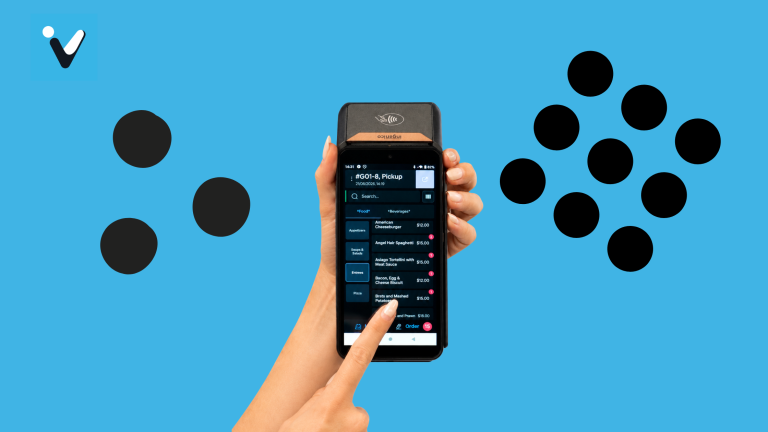
Running a cafeteria at one location is challenging enough. Now imagine managing ten, fifty, or a hundred locations, each with different menus, pricing rules, subsidy programs, and peak rush hours. That’s the reality for enterprise foodservice management and hospitality IT leaders in 2026. Volanté Systems gives you centralized control over multi-location cafeteria POS cashier systems, helping you standardize operations while adapting to each site’s unique needs.
Key Takeaways: Multi-Location Cafeteria POS Cashier Systems
- Centralized menu control lets you update pricing and items across all locations from a single dashboard in minutes.
- Real-time reporting gives you visibility into sales, inventory, and throughput metrics at every site simultaneously.
- Badge pay and payroll deduction speed up checkout lines and reduce credit card processing fees significantly.
- Volanté Systems delivers enterprise-grade POS solutions designed specifically for high-volume cafeteria environments.
- Subsidy management automation eliminates billing errors and ensures accurate tracking of employer-funded meal programs.
What Is a Multi-Location Cafeteria POS Cashier System?
A multi-location cafeteria POS cashier system is a centralized software platform that manages transactions, menus, inventory, and reporting across multiple foodservice sites. Unlike standalone registers at individual locations, this type of system connects all your cafeterias through a unified database.
This connection allows you to push menu updates, pricing changes, and promotional offers to every location at once. You can also pull consolidated reports that show performance across your entire operation, not just one site at a time.
Modern systems go beyond basic transaction processing. They handle badge pay, payroll deduction, declining balance accounts, meal plan management, and subsidy tracking—all from a browser-based interface that you can access anywhere.
Why Multi-Location Foodservice Operations Need Centralized POS Management
Enterprise foodservice operations face unique challenges that single-location systems simply cannot address. When you’re serving thousands of employees, students, patients, or residents across multiple buildings or campuses, consistency becomes critical.
A centralized POS management approach solves several pain points. First, it eliminates the need to manually update menus and prices at each location. A change you make in the central system propagates everywhere immediately. This reduces errors and ensures pricing consistency.
Second, centralized management gives you aggregated data for smarter decision-making. You can compare throughput rates between locations, identify underperforming menu items, and spot inventory discrepancies before they become costly problems.
The Cost of Disconnected Systems
Operating disconnected POS systems across multiple locations creates hidden inefficiencies. Staff at each site must manually enter menu changes, which increases the risk of pricing errors and inconsistent offerings.
According to a 2025 Crunchtime and Technomic research study, 80% of operators prioritize real-time visibility into data across labor, food costs, and compliance—but fewer than half actually have it. This visibility gap directly impacts profitability and guest experience.
Without unified data, you’re making decisions based on incomplete information. You might overstock ingredients at one location while another runs out, or you might miss opportunities to optimize staffing during peak hours.
Core Features of Enterprise Cafeteria POS Cashier Systems
Selecting the right cafeteria POS cashier system requires understanding which features matter most for multi-location operations. Not every POS can handle the demands of enterprise foodservice environments.
Centralized Menu Management and Pricing Rules
Centralized menu management allows you to create, modify, and deploy menus across all locations from a single interface. You can set different daypart menus, seasonal offerings, and location-specific items while maintaining overall consistency.
Pricing rules become especially important when you’re dealing with different subsidy levels, employee discounts, or regional cost variations. A capable system lets you apply rules at the enterprise level while allowing overrides for specific locations when needed.
Real-Time Reporting and Analytics
Real-time reporting transforms how you manage multi-location operations. Instead of waiting for end-of-day reports or manually consolidating spreadsheets, you see live data from every register at every location.
This visibility helps you respond quickly to issues. If a location’s throughput drops unexpectedly during lunch rush, you can investigate immediately rather than discovering the problem in next week’s report. Volanté Systems delivers real-time, actionable reporting and business intelligence that helps you make faster, more informed decisions.
Badge Pay and Payroll Deduction Integration
Badge pay allows employees to tap their ID badge at checkout instead of using cash or credit cards. The purchase amount either deducts from a prepaid declining balance account or adds to their next payroll deduction.
This payment method dramatically speeds up checkout times. There’s no fumbling for wallets, no waiting for card approvals, no cash handling. For high-volume cafeteria environments where you need to serve hundreds of people in a 45-minute lunch window, those seconds saved per transaction add up quickly.
Badge pay also reduces your credit card processing fees, which can represent a significant cost savings at scale.
Subsidy and Meal Plan Management
Many enterprise cafeterias operate with employer-funded subsidies or meal plan programs. Hospitals might subsidize staff meals during overnight shifts. Corporations might cover a portion of daily lunch costs. Universities manage complex meal plan structures with different allowances for different student groups.
Your POS needs to track these subsidies accurately at the point of sale. It should automatically apply the correct subsidy amount, track remaining balances, and generate reports showing subsidy usage by department, location, or individual.
How to Evaluate Multi-Location POS Platforms for Cafeteria Operations
Evaluating POS platforms for multi-location cafeteria operations requires a different approach than selecting a system for a single restaurant. You need to consider scalability, integration capabilities, and vendor support alongside basic functionality.
Scalability and Performance Under Load
Your POS must handle peak-hour transaction volumes without slowing down. In a corporate cafeteria serving 2,000 employees, you might process 400 transactions in a 30-minute window. The system cannot lag or crash during these critical periods.
Ask potential vendors about their system architecture. Cloud-based systems should have redundant servers and failover capabilities. On-premise systems need robust local hardware with backup options if the network connection drops.
Integration With Existing Enterprise Systems
Your cafeteria POS doesn’t exist in isolation. It needs to exchange data with HR systems for badge pay, accounting software for financial reporting, and inventory management platforms for supply chain coordination.
Evaluate each vendor’s API capabilities and existing integrations. Some platforms require custom development for every integration, which adds cost and complexity. Others offer pre-built connectors for common enterprise systems that simplify deployment.
Vendor Support and Service Level Agreements
When your POS goes down during lunch rush, you need help immediately. Evaluate each vendor’s support structure, response time commitments, and availability of onsite service when needed.
Volanté Systems emphasizes hands-on support and on-location service for deployments, upgrades, and troubleshooting. For operators who cannot afford downtime, that rapid response capability becomes a deciding factor.
Step-by-Step Guide to Implementing a Multi-Location Cafeteria POS
Implementing a new POS across multiple locations requires careful planning and phased execution. Rushing the process leads to configuration errors, training gaps, and frustrated staff.
Step 1: Document Current Operations and Pain Points
Before selecting a system, document how each location currently operates. Map out menu structures, pricing rules, payment methods accepted, and reporting requirements. Identify the specific pain points you need to solve.
This documentation becomes your requirements checklist for vendor evaluation. It also helps you spot inconsistencies between locations that you’ll want to address during implementation.
Step 2: Define Your Centralization Strategy
Decide which elements you’ll standardize across all locations and which you’ll allow to vary. Most enterprises standardize core menu items and pricing while permitting regional variations or location-specific specials.
Document your subsidy and discount structures. Determine how you’ll handle employee badge pay accounts—will they work across all locations, or are accounts location-specific?
Step 3: Configure Your Test Environment
Set up a test environment that mirrors your production configuration. Enter sample menus, pricing rules, and subsidy programs. Run test transactions to verify calculations and ensure data flows correctly to reporting systems.
This testing phase catches configuration errors before they affect real transactions. Take time to test edge cases like voided transactions, split payments, and subsidy limit handling.
Step 4: Pilot at a Single Location
Deploy the new system at one location before rolling out enterprise-wide. Choose a location with typical operations and supportive staff who can troubleshoot issues and contribute feedback.
Run the pilot for at least two weeks, covering different dayparts and service scenarios. Document any problems and their solutions. Refine your training materials based on what staff found confusing.
Step 5: Train Staff and Deploy Enterprise-Wide
Develop training materials tailored to different roles. Cashiers need hands-on transaction practice. Managers need training on reporting and menu management. IT staff need technical documentation for troubleshooting.
Roll out to remaining locations in phases rather than all at once. This approach lets your support team address issues without being overwhelmed and allows later locations to benefit from lessons learned at earlier sites.
Optimizing Throughput and Speed of Service in Cafeteria Lines
Speed of service directly impacts customer satisfaction and revenue in cafeteria environments. When lines move slowly, customers leave without purchasing, or they skip the cafeteria entirely and order from external delivery apps.
Self-Service Kiosks and Scan-to-Go Options
Self-service kiosks let customers browse menus, place orders, and pay without cashier assistance. This approach works particularly well for grab-and-go items where customers select pre-packaged meals and need a quick checkout.
Scan-to-go technology takes this further by allowing customers to scan items with their phones as they shop, then pay through the app without stopping at a checkout station. Volanté Systems reduces queues and speeds up transactions with self-service kiosks and AI vision technology that recognizes items automatically.
Line Configuration and Station Design
How you configure your service line impacts throughput as much as your technology choices. Position registers to minimize bottlenecks. Consider dedicated express lines for badge-pay customers who complete transactions in seconds.
Analyze your transaction data to identify slow points. If beverage stations create backups, consider pre-packaging more drink options or adding a dedicated beverage checkout.
Menu Simplification During Peak Hours
Some cafeterias offer streamlined menus during peak rush hours. Reducing choices speeds up decision-making at the counter and simplifies kitchen operations. You can offer your full menu during slower periods when staff have more time to handle complexity.
Your POS should support daypart menus that automatically switch based on time of day. This automation ensures customers see the correct options without requiring staff to manually change menu displays.
Managing Pricing and Subsidies Across Multiple Locations
Pricing in enterprise cafeterias involves more variables than a typical restaurant. You’re juggling base prices, subsidies, employee discounts, meal plan allocations, and potentially different tax rates by location.
Creating Consistent Pricing Structures
Start with a clear pricing philosophy. Decide whether all locations charge identical prices or whether you’ll allow variations based on local costs or market conditions. Document your decision and the reasoning behind it.
Use your POS to enforce pricing consistency. Lock down price changes at the location level, requiring central approval for any modifications. This control prevents well-meaning managers from creating inconsistencies that confuse customers who visit multiple locations.
Automating Subsidy Calculations
Subsidy automation eliminates calculation errors and ensures accurate tracking. Configure your POS to automatically apply the correct subsidy percentage or fixed amount based on the customer’s account type, department, or other criteria.
Set up alerts for subsidy limits. When an employee approaches their monthly subsidy cap, the system should notify the cashier so they can inform the customer before completing the transaction.
Generating Subsidy Reconciliation Reports
Finance teams need accurate subsidy data for departmental chargebacks and budget tracking. Your POS should generate reports showing subsidy usage by department, cost center, or individual account.
Automate these reports on a schedule that matches your billing cycles. Weekly or bi-weekly reports give department managers visibility into their meal program spending before costs accumulate into surprises.
Security and Compliance Considerations for Enterprise POS
Enterprise POS systems handle sensitive payment and personal data. Security and compliance must be foundational, not afterthoughts.
PCI Compliance and Payment Security
Any system processing credit card payments must comply with Payment Card Industry Data Security Standards (PCI-DSS). Verify that your POS vendor maintains current PCI certification and understand which compliance responsibilities fall on your organization versus the vendor.
Point-to-point encryption (P2PE) adds another layer of protection by encrypting card data at the moment of swipe or tap. Volanté Systems offers industrial-strength security with P2PE and PCI compliance, protecting your customers’ payment information throughout the transaction process.
Data Privacy and Access Controls
Your POS contains personal information including names, badge numbers, purchase histories, and potentially dietary preferences. Implement role-based access controls so staff only see data relevant to their responsibilities.
Audit logging tracks who accessed what data and when. This capability helps you investigate any potential security incidents and demonstrates due diligence to regulators.
System Redundancy and Business Continuity
What happens if your cloud connection goes down during lunch rush? Your POS should have offline capabilities that allow transactions to continue, then sync data when connectivity returns.
Document your business continuity procedures. Train staff on backup processes so they can serve customers even during system outages. Test these procedures periodically to ensure they work as expected.
Measuring Success: Key Performance Indicators for Cafeteria POS
Deploying a new POS system represents a significant investment. Define clear KPIs to measure whether that investment delivers expected returns.
Throughput and Transaction Speed
Measure average transaction time before and after implementing your new system. Track throughput as transactions per hour during peak periods. Set targets for improvement and monitor progress.
Compare metrics across locations to identify best practices. If one location consistently achieves faster transaction times, investigate what they’re doing differently and share those techniques with other sites.
Revenue and Average Check Size
Monitor revenue per location and average check size. A well-designed POS with upselling prompts and easy modifier additions should increase average transaction values over time.
Track badge pay adoption rates. Higher badge pay usage typically correlates with faster transactions and increased customer participation in cafeteria programs.
Customer Satisfaction and Feedback
Collect customer feedback through surveys, comment cards, or digital feedback options integrated with your POS. Track satisfaction scores over time and correlate them with system changes or operational improvements.
Pay attention to complaints about wait times, pricing accuracy, and payment issues. These complaints often signal configuration problems or training gaps that you can address.
Future Trends in Enterprise Cafeteria POS Technology
Cafeteria POS technology continues to evolve rapidly. Understanding emerging trends helps you select systems that will remain relevant as expectations shift.
AI-Powered Item Recognition
Computer vision technology is entering cafeteria environments. Cameras can identify items on a tray automatically, eliminating the need for cashiers to ring up each item manually. This technology promises dramatic throughput improvements, especially for grab-and-go operations.
Volanté Systems invests in innovative functionality like AI-powered recognition that helps increase average check sizes while improving cafeteria traffic flow. As this technology matures, expect wider adoption across enterprise foodservice.
Mobile Ordering and Pre-Order Pickup
Mobile ordering lets customers place orders from their desks and pick up food at a designated time. This approach distributes demand throughout the day rather than concentrating it during narrow rush windows.
For multi-location operations, mobile ordering can direct customers to less-crowded locations or suggest optimal pickup times based on real-time kitchen capacity.
Sustainability and Waste Reduction Analytics
Environmental sustainability matters increasingly to corporate clients and their employees. POS data can help identify waste patterns—items that frequently go unsold, portions that customers don’t finish, packaging that could be reduced.
Expect future POS systems to include sustainability dashboards that help you set and track waste reduction goals across your cafeteria network.
In Conclusion: Choosing the Right Multi-Location Cafeteria POS System
Selecting a multi-location cafeteria POS cashier system requires balancing many factors: centralized control versus location flexibility, feature richness versus ease of use, upfront cost versus long-term value. The right choice depends on your specific operational needs, existing technology ecosystem, and growth plans.
Focus on vendors who understand enterprise foodservice environments. A system designed for restaurants won’t necessarily handle the unique requirements of corporate cafeterias, healthcare facilities, or higher education dining halls. Look for native support for badge pay, subsidy management, and payroll deduction—features that matter in institutional foodservice but rarely appear in restaurant-focused systems.
Plan your implementation carefully. Pilot thoroughly. Train extensively. And measure relentlessly. The technology is only as valuable as your ability to deploy and optimize it effectively. Visit Volanté Systems to explore how a purpose-built enterprise POS platform can support your multi-location cafeteria operations.
FAQs about Multi-Location Cafeteria POS Cashier Systems
What makes cafeteria POS systems different from restaurant POS systems?
Cafeteria POS systems handle institutional requirements that restaurant systems typically don’t support. These include badge pay, payroll deduction, declining balance accounts, meal plan management, and employer subsidies.
Cafeteria environments also demand higher throughput during concentrated rush periods. Volanté Systems builds its POS platform specifically for these high-velocity foodservice environments where uptime and transaction speed are mission critical.
How long does it take to implement a multi-location cafeteria POS?
Implementation timelines vary based on complexity and location count. A straightforward deployment at 5-10 locations might take 8-12 weeks from contract signing to full operation. Larger rollouts with complex integrations can extend to 6 months or longer.
The pilot phase typically lasts 2-4 weeks. Allow adequate time for staff training and don’t rush the configuration and testing phases—errors caught early are far cheaper to fix than problems discovered after go-live.
Can employees use badge pay across multiple cafeteria locations?
Yes, when your system is properly configured for centralized account management. Employees maintain a single balance or payroll deduction account that works at any location on the network.
Volanté Systems supports badge pay across corporate, healthcare, and campus environments through its centralized platform, letting staff tap, dine, and go at any connected location.
What happens if the network goes down during lunch rush?
Quality enterprise POS systems include offline capabilities that allow transactions to continue even when network connectivity is lost. The system stores transactions locally and syncs them to the central database once connectivity returns.
Badge pay and declining balance functions may have limited offline capability since they require account verification. Your business continuity plan should include backup payment acceptance procedures for extended outages.
How do multi-location POS systems handle menu changes?
Centralized menu management lets you make changes in one place and push them to all locations instantly. You can schedule changes in advance—for example, setting up a seasonal menu to activate on a specific date across all sites.
Most systems also allow location-specific overrides for items that only appear at certain sites, like a regional specialty or a test item in a pilot location.
What reporting capabilities should I expect from enterprise cafeteria POS?
Expect real-time dashboards showing transactions, revenue, and throughput across all locations. You should be able to drill down from enterprise-wide views to individual location and register-level detail.
Volanté Systems delivers real-time, actionable analytics that let you track performance, identify trends, and make data-driven decisions about menus, staffing, and operations across your entire cafeteria network.